The nanny and grandma keep the record. You get on with your day.
Nobody knows your child's day better than the person looking after them: when the last bottle was, whether lunch got eaten, how many nappies so far. Tumbuh gives nannies, helpers and grandparents an app of their own with big buttons. One tap or one photo, and it's on your phone.
- ✓ An app of their own
- ✓ Big buttons, no typing
- ✓ Free for the family
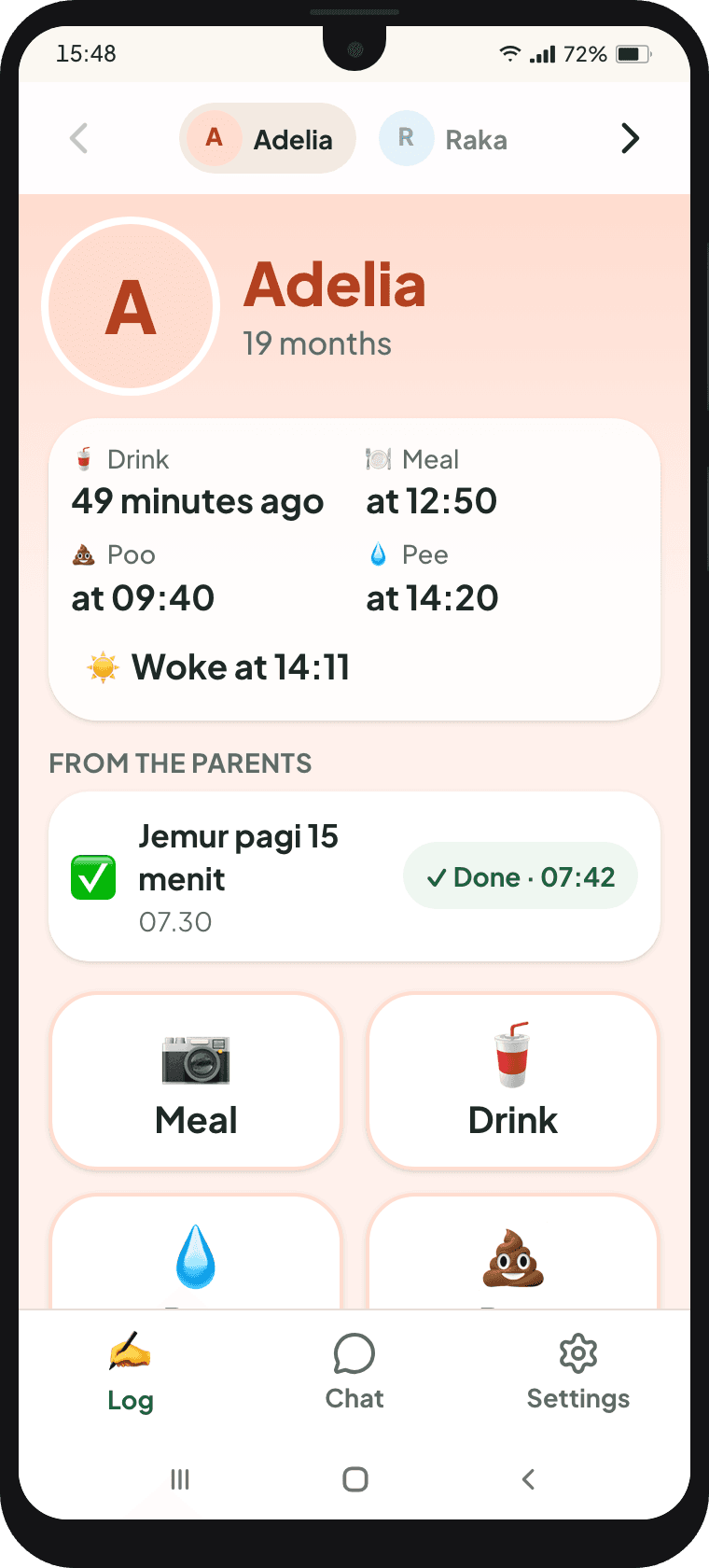
Friday with the Pratama family
- 06:40Mum
Feeds Raka before leaving. Taps Log, then Breastfeed left.
- 07:52Sri
Sri arrives and taps “I'm here”. Mum, still on the road, knows straight away.
- 09:00Sri
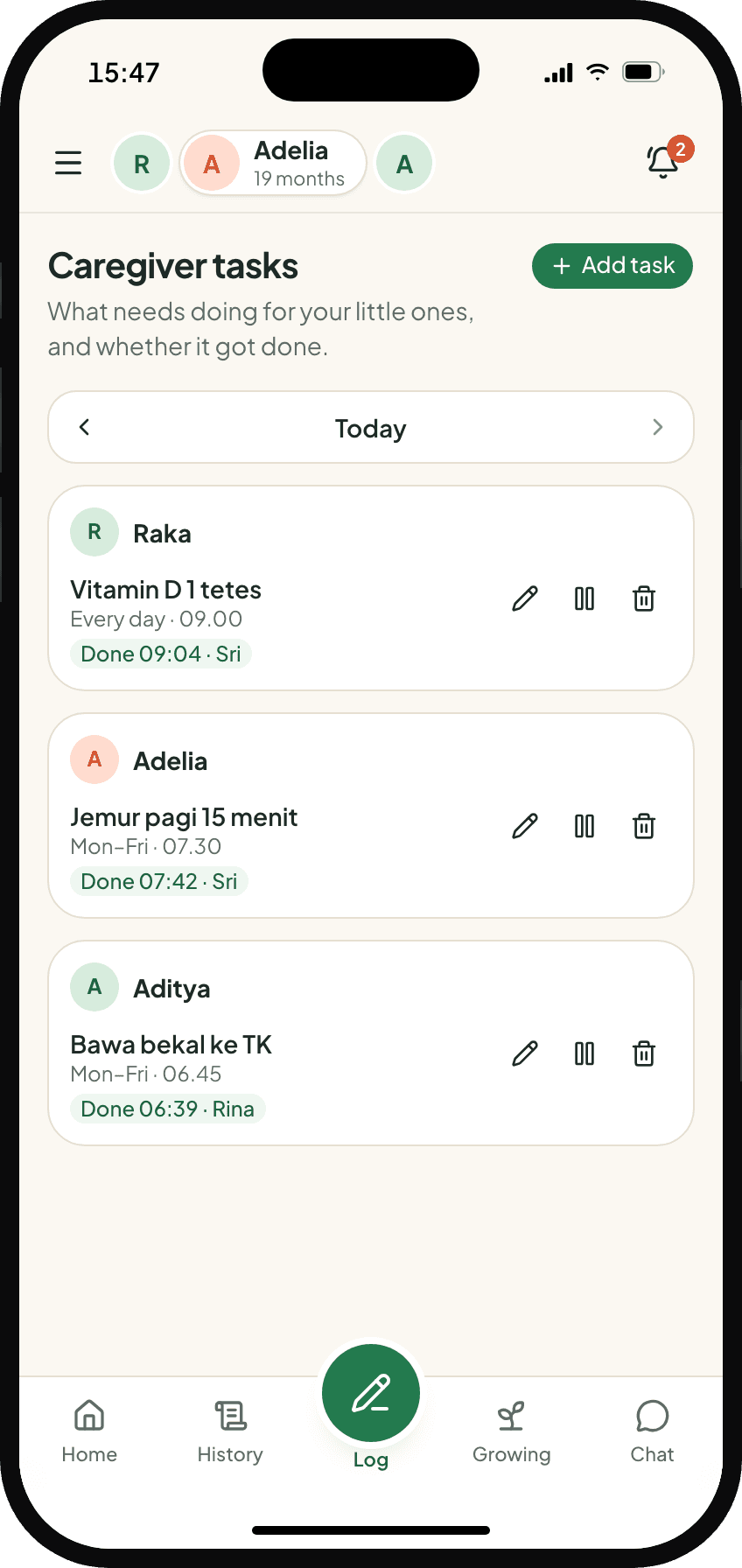
A task from Mum: one drop of vitamin D for Raka. Sri taps Done.
- 10:20Sri
Raka has expressed milk. Tap Bottle, pick 120 ml. The card appears in the family chat.
- 11:45Mum
From the office, Mum sends a one-tap request: “Please send a photo of Adelia's lunch.”
- 12:16Sri
Sri photographs the plate. Rice porridge with fish and spinach, 163 kcal, straight into Adelia's nutrition for the day.
- 12:30Mum
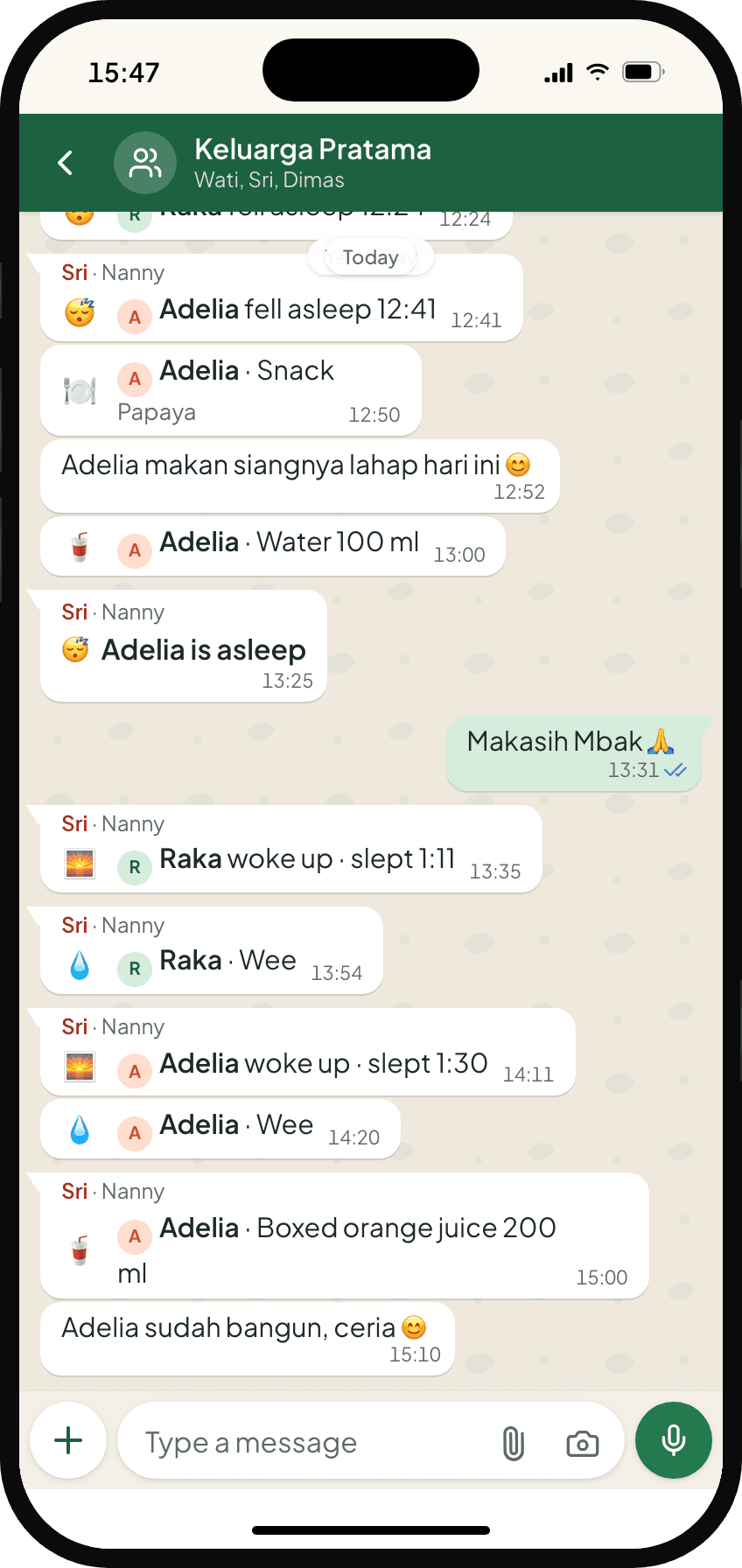
Between meetings. The family chat already tells the story: bottle, nappies, lunch, nap. Not a single question asked.
- SaturdayGrandma Wati
Grandma's turn with Aditya. Same big buttons, same chat.
The buttons follow the child's age.
Swipe to switch child. Each child has their own colour so nobody gets mixed up, and only the buttons that age needs appear.
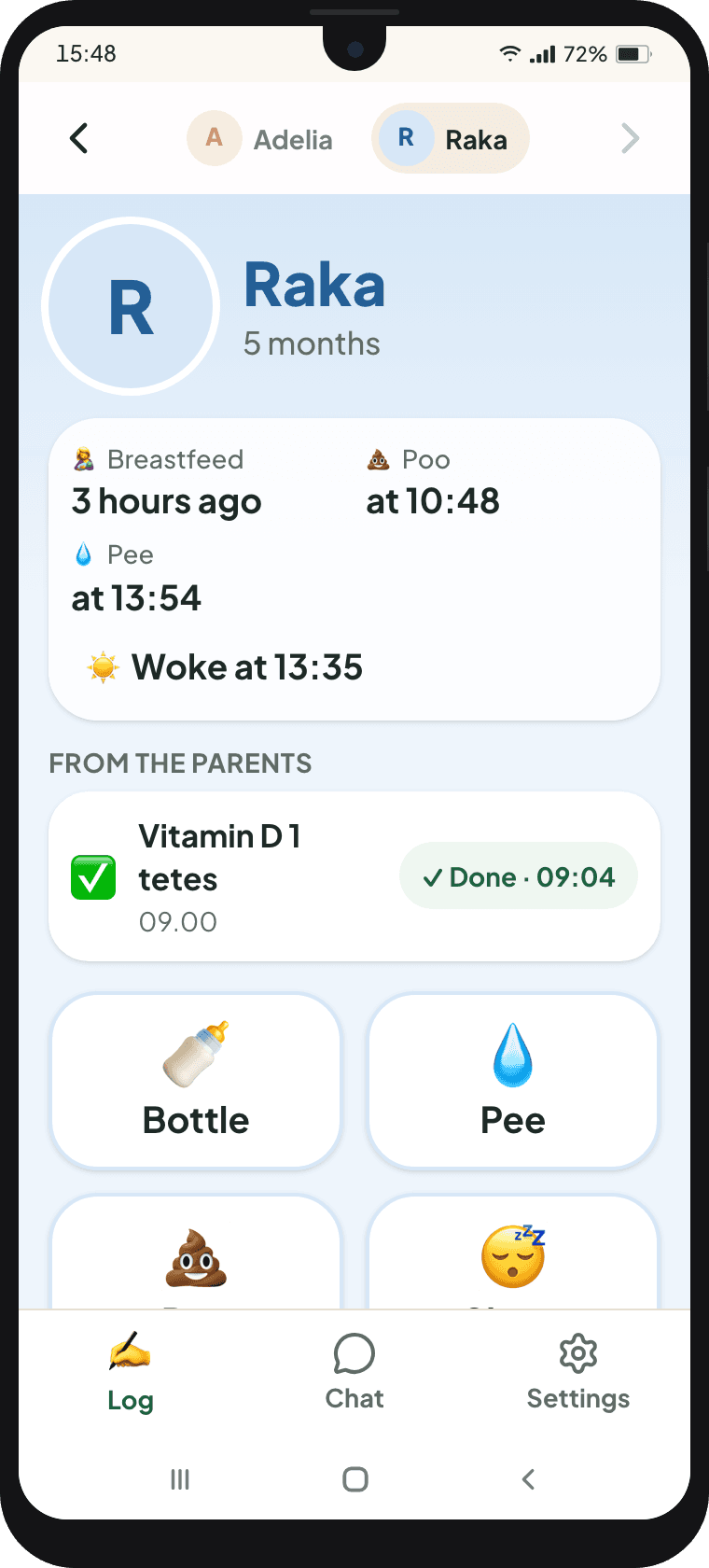
Raka, 5 months
Bottles of expressed milk or formula, wees, poos and naps. The usual bottle sizes are already saved.
Adelia, 19 months
Meals are a photo, drinks are a tap on the cup, wees and poos come with their texture.
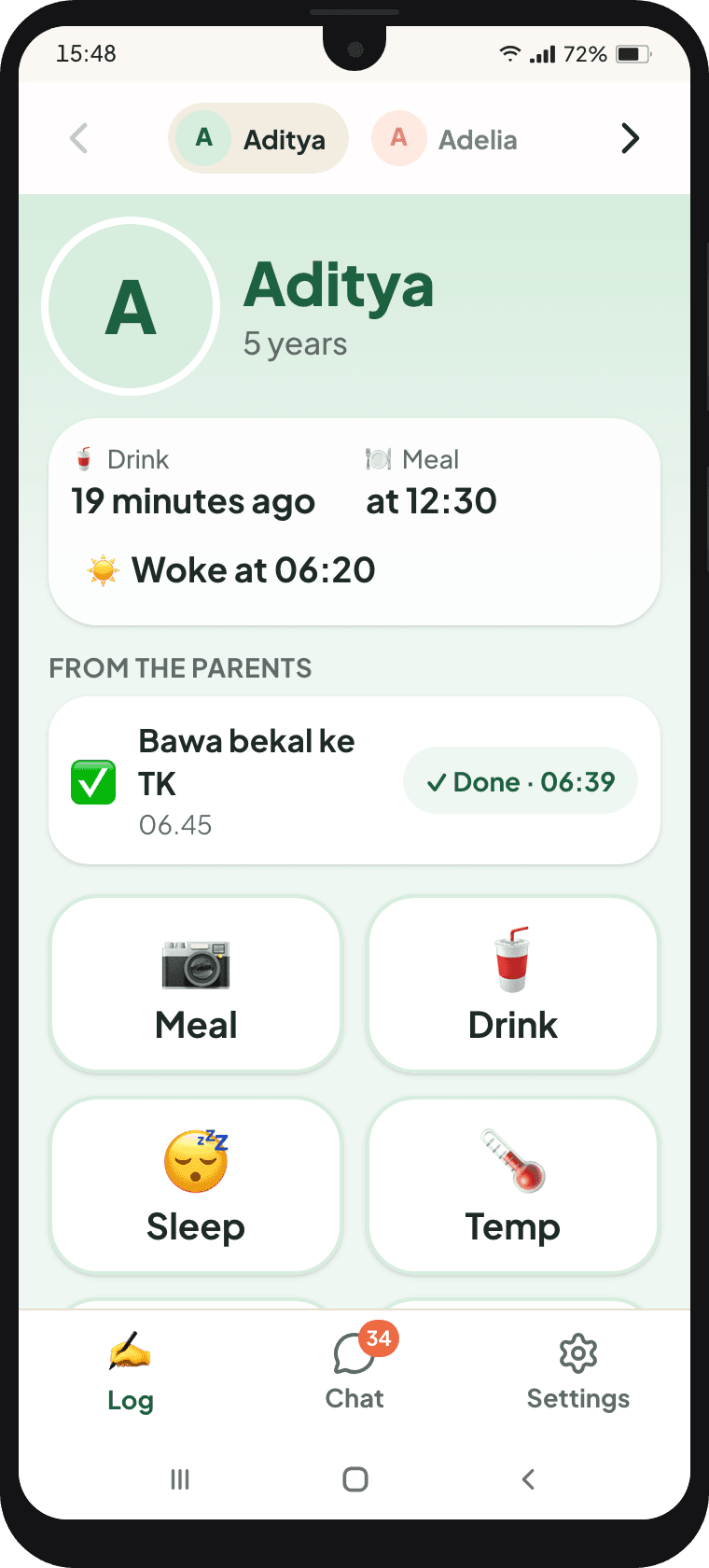
Aditya with Grandma
Meals, drinks, sleep, and temperature when needed. Nothing for Grandma to learn.
A chat that tells the story by itself.
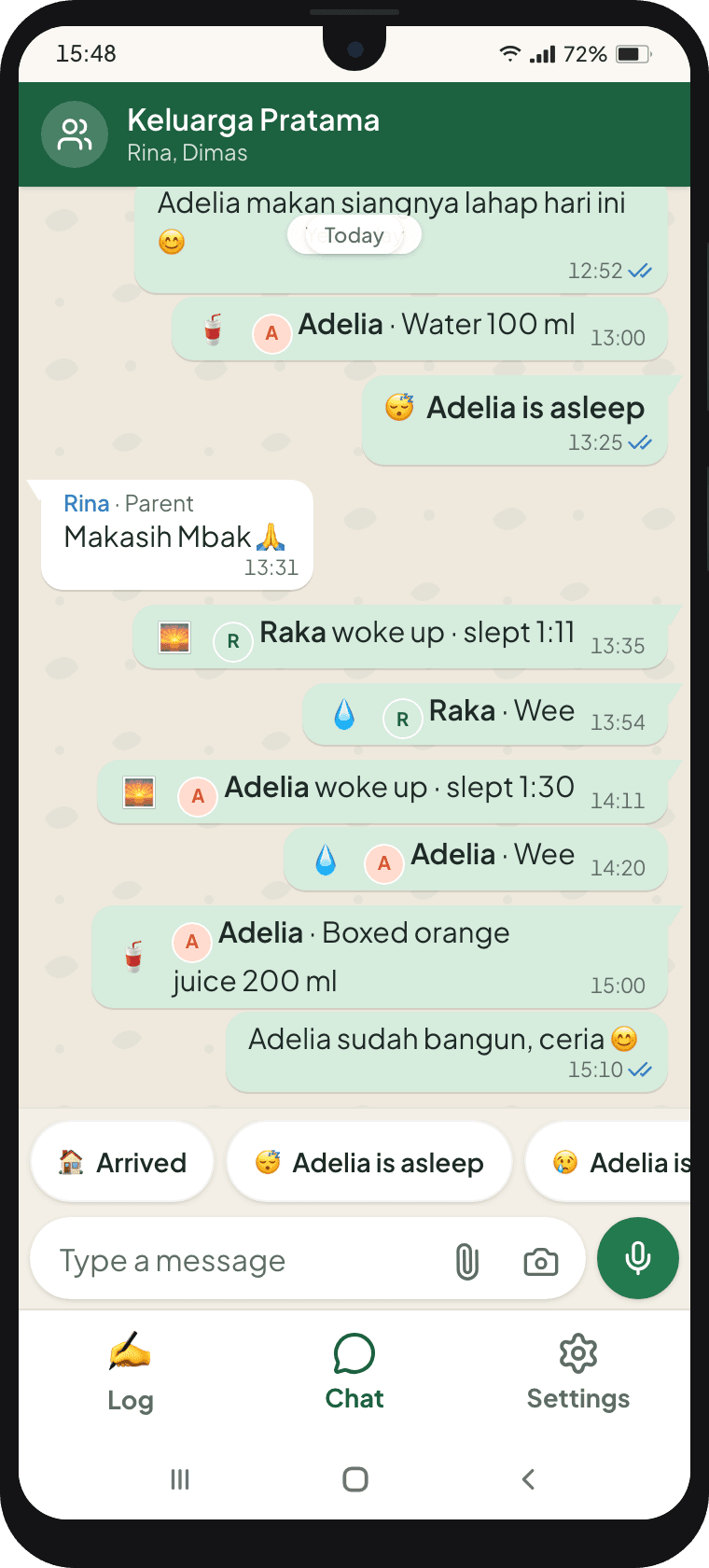
One chat for the whole family and the people who help. Every tap a caregiver makes appears as a small card, so you read your child's day the way you read any chat.
- ✓Activity cards appear by themselves: bottles, meals, naps, wees, poos, mood
- ✓One-tap requests from you: 📷 photo of a meal, 🌡 check temperature, ✅ task, 🕒 home time
- ✓Ordinary messages still work, just like WhatsApp
- ✓New nanny? The story carries on in the same chat
Tasks that are remembered, not left in a message.
Vitamin D at 9, fifteen minutes of morning sun, packed lunch for kindergarten. Set it once and it repeats every day. The caregiver sees it on the Log screen and taps Done. Anything missed shows on your Home screen.
Caregivers log. Everything else stays with you.
Nannies, helpers and grandparents all join as caregivers, with the same rights. An older sibling or another relative who helps decide things can be given the parent role instead.
| Parents | Caregiver (nanny/helper) | Grandparents | |
|---|---|---|---|
| Logging and chatting | |||
| Log bottles, nappies, sleep, drinks | Yes | Yes | Yes |
| Photograph meals and drinks | Yes | Yes | Yes |
| Log temperature when needed | Yes | Yes | Yes |
| Mark tasks done | Yes | Yes | Yes |
| Family chat and requests | Yes | Yes | Yes |
| Undo their own entries | Yes | Yes | Yes |
| Delete someone else's entries | Yes | No | No |
| Parents only | |||
| Growth charts, weight and flags | Yes | No | No |
| Vaccines, documents, cards, doctor visits | Yes | No | No |
| Full history | Yes | No | No |
| Ask Tumbuh | Yes | No | No |
| Manage caregivers and tasks | Yes | No | No |
| Download data | Yes | No | No |
Caregivers only see the children you assign to them. Other children in the family are invisible to them.
Set it up once, in three steps.
- 1
You add the caregiver
In Family members: name, Gmail address, their role (nanny, helper, grandpa or grandma) and the children they look after.
- 2
They sign in with their Gmail
On their own phone, Android or iPhone, in the browser. Nothing to install. All they see is the Log screen and the chat.
- 3
You just read
The family chat for today, Home for the summary, History for everything.
Change a caregiver's access any time.
Pause
Access stops for a while, say when the nanny goes home for Lebaran.
Resume
When they're back, they can log again straight away.
Change children
Change which children they look after when their duties change.
New caregiver
A new nanny joins the same chat. Everything before stays there.
Remove
Access ends there and then. Everything they logged stays, under their name.
Try it from both sides.
Pick Caregiver to be Sri the nanny or Grandma Wati, then Parent to see the family chat they filled in.
- Baby, 0–6 monthsRaka, 5 months
Still on breast milk and bottles. Feeds, bottles and nappies take one tap, and the nanny's day shows up in the Daily report.
Open Raka's demo - Toddler, 1–2 yearsAdelia, 19 months
Born at 34 weeks. Meal photos, a growth chart on corrected age, and one vaccine that's overdue.
Open Adelia's demo - Child, 5 yearsAditya, 5
Five years of records since birth. Meal photos, more sweet drinks than there used to be, and a BMI that's creeping up.
Open Aditya's demo
You'll be signed in as Rina, their mum. See Raka's Daily report →
Questions about caregivers
Do caregivers cost extra?+
No. Caregivers in your family are free. One or three, the family pays one monthly price.
Our nanny doesn't read very well. Will it work?+
Yes. The Log screen is big picture buttons: bottle, meal, wee, poo, sleep. Meals are a photo. There's almost nothing to read or type.
What does a caregiver need?+
A phone with internet and a Gmail account. Tumbuh opens in the browser, so there's nothing to install.
Can caregivers see growth charts or my child's weight?+
No. Growth charts, weight, flags, vaccines, documents and doctor visits are for parents only. Caregivers see the Log screen and the family chat.
What if a caregiver logs something by mistake?+
Every entry can be undone with one tap. Caregivers can't delete anyone else's entries; parents can delete anyone's.
What happens when a caregiver leaves?+
Remove them in Family members. They can't sign in any more, and everything they logged stays, under their name.